
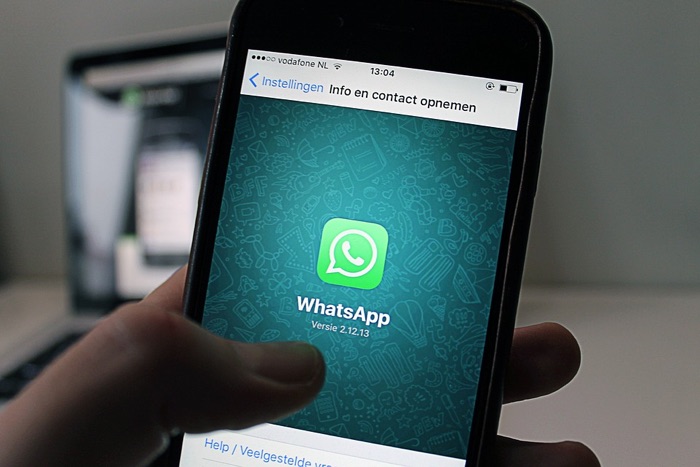
WhatsApp pe “last seen” dekhna, blue ticks ke liye wait karna, aur online status track karna — yeh sab kaafi familiar experiences hain. Lekin aap in privacy settings ko control kar sakte hain — kya dikhana hai aur kya nahi. Is guide mein WhatsApp ke har privacy feature ka complete walkthrough cover karenge.
Short Answer: WhatsApp Settings → Privacy mein sab kuch control hota hai. Last seen: “My Contacts” ya “Nobody” set karo. Read receipts (blue ticks): OFF karo — lekin aap bhi dusron ki nahi dekh paoge. Online status hide: Settings → Privacy → Last seen → “Nobody.” Status privacy: alag contacts ke liye alag visibility set kar sakte ho. Sab free mein available hai.
Last Seen Hide Karna
Last seen settings:
WhatsApp → Settings → Privacy → Last seen and online → Select: Everyone / My Contacts / My Contacts Except / Nobody
Options ka matlab:
- Everyone: Koi bhi aapka last seen dekh sakta hai
- My Contacts: Sirf aapke saved contacts
- My Contacts Except: Specific contacts ko exclude kar sakte hain
- Nobody: Koi nahi dekh sakta — aap bhi dusron ka last seen nahi dekh paoge agar unhone bhi hide kiya hai
Online status ke liye alag setting hai (2022 se WhatsApp ne add kiya):
- Same Privacy menu mein “Last seen and online” → “Who can see when I’m online” → “Same as Last Seen” ya “My Contacts”
Blue Ticks (Read Receipts) OFF Karna
Blue ticks dikhate hain ki message padh liya gaya. OFF karne ke liye:
- Settings → Privacy → Read receipts → Toggle OFF
Important limitation: Read receipts OFF karne pe aap bhi dusron ke messages ke read receipts nahi dekh paoge. Yeh two-way setting hai.
Group chats mein read receipts hamesha dikhte hain — individual setting group pe apply nahi hoti.
Profile Photo Privacy
- Settings → Privacy → Profile photo → My Contacts ya My Contacts Except
- “Nobody” option profile photo ke liye bhi available hai
- Unknown numbers jo aapko message karte hain woh aapka profile photo nahi dekh paate agar “My Contacts” set hai
WhatsApp Status Privacy
Status sirf specific logon ko dikhana chahte hain:
- Status tab → three dots → Status privacy
- My Contacts: Default — sabhi contacts dekh sakte hain
- My Contacts Except: Specific contacts ko status nahi dikhega
- Only Share With: Sirf selected contacts ko dikhega
Different statuses ke liye different privacy settings set karne ka shortcut: Status post karte waqt privacy icon tap karein aur per-status select karein.
About (Bio) aur Last Seen Privacy
- Settings → Privacy → About → My Contacts ya Nobody
- Aapka bio/about text unknown numbers ko hide hoga agar “My Contacts” set hai
Groups — Koi Bhi Group mein Add Na Kar Sake
Unknown contacts se random groups mein add hone se bachne ke liye:
- Settings → Privacy → Groups → My Contacts ya My Contacts Except
- “Nobody” option nahi hai groups ke liye — “My Contacts Except” use karke specific people ko block kar sakte hain
Note: WhatsApp privacy settings mutual hain — agar aap apna last seen hide karte hain toh aap dusron ka last seen nahi dekh paoge jo “Nobody” pe set hain. Read receipts OFF matlab aap bhi dusron ke read receipts nahi dekh paoge. Privacy settings mein tradeoff hai — more privacy = less information about others too.
Blocked Contacts — Last Resort Privacy
Kisi ko completely block karna:
- Contact open karein → three dots → Block
- Ya Settings → Privacy → Blocked contacts → Add blocked contact
- Blocked contact aapko message nahi kar sakta, aapki profile/status nahi dekh sakta
- Unblock: Same menu → Unblock
Checklist — WhatsApp Privacy Audit:
- ✅ Last seen: “My Contacts” ya “Nobody” set kiya
- ✅ Online status: “My Contacts” set kiya
- ✅ Profile photo: “My Contacts” set kiya
- ✅ Groups: “My Contacts” — random groups se protection
- ✅ Read receipts decision le liya
- ✅ Status privacy reviewed kiya
FAQ — WhatsApp Privacy
Last seen “Nobody” set kiya phir bhi koi dekh pa raha hai?
Yeh possible nahi hai directly WhatsApp se. Lekin third-party “WhatsApp tracker” apps exist karte hain jo historically online/offline status track karte the — WhatsApp ne 2023 mein “online” status hiding bhi add kiya. Aur koi notifications track karta ho WhatsApp notification mein jo message content show karta ho. Check karein aapka notification preview settings — Settings → Notifications → Message notifications → “No preview” set karein.
Blue ticks hide karne ke baad bhi sender ko kaise pata chalega message deliver hua?
Double grey ticks deliver hone ko indicate karte hain — iska matlab message phone pe pahunch gaya. Blue ticks sirf reading confirm karte hain. Read receipts OFF karne pe grey ticks phir bhi dikhte hain — sirf blue nahi honge.
WhatsApp mein “disappearing messages” feature kya hai?
Settings → Privacy → Default message timer → 24 hours, 7 days, ya 90 days. Enable karne pe new chats mein messages automatically delete ho jaate hain set time ke baad. Purani chats ke liye individual chat mein → contact name → Disappearing messages → ON.
WhatsApp Privacy Help ↗
WhatsApp Privacy Policy ↗
Conclusion
WhatsApp privacy settings powerful hain aur granular control deti hain — last seen, online status, profile photo, read receipts, status, aur groups sab independently manage kar sakte hain. “My Contacts” setting across all categories set karna good baseline privacy maintain karta hai unknown numbers se. Read receipts OFF karna tradeoff hai — more privacy lekin aap bhi dusron ki blue ticks nahi dekh paoge. Privacy audit har 6 mahine mein karna good practice hai — settings kabhi kabhi app updates mein reset ho sakte hain.