
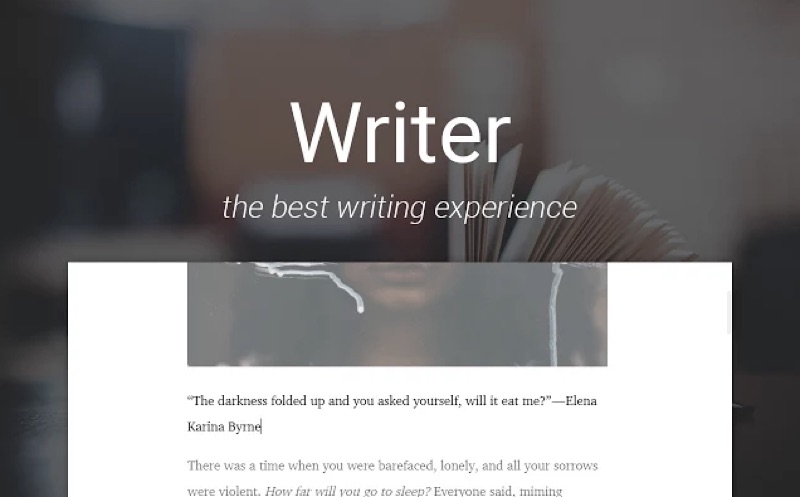
Writing ke waqt notifications, tabs, social media — yeh sab focus todne ke liye kaafi hain. Distraction-free writing apps ek clean, minimal interface dete hain jahan sirf text aur aapki thoughts hain — baaki sab hide. 2026 mein kaafi options available hain free se premium tak. Is guide mein top distraction-free writing tools cover karenge — writers, students, aur bloggers ke liye.
Short Answer: Free best options: Google Docs “Focus mode” (already available), FocusWriter (free desktop app), ya simply browser fullscreen mein Notion page. Paid best: iA Writer (₹800 one-time, iOS/Mac/Windows) — minimalist design, typography-focused. Obsidian (free for personal) — notes + writing + linking ideas. Tool “best” woh hai jo aap actually regularly use karein — overthink mat karo.
Google Docs — Free aur Already Available
Google Docs mein “Focus mode” feature 2023 se available hai — alag app ki zaroorat nahi:
- Google Docs mein koi document open karein
- View → Focus Mode → ON
- Toolbar aur menus hide ho jaate hain — sirf text rehta hai
- Esc key se exit
- Presentation mode bhi similar effect deta hai — View → Full Screen
Advantages: Already use karte hain, collaboration possible hai, auto-save, sabhi devices pe available. Best hai jo Google Workspace already use karte hain.
iA Writer — Premium Pick
iA Writer minimal writing ka gold standard hai:
- Clean, typography-focused interface — sirf text, koi clutter nahi
- “Focus mode” mein current sentence/paragraph highlight hoti hai, baaki dim
- Markdown support — writing fast hoti hai formatting shortkeys se
- iCloud sync — Mac, iPhone, iPad, Windows sab pe
- Price: ₹800-900 one-time (iOS) ya ₹2,500 Mac App Store
Best hai: Serious writers, bloggers, journalists jo daily writing karte hain aur Apple ecosystem mein hain.
Obsidian — Notes + Writing Combined
Obsidian free hai (personal use) aur powerful:
- Markdown-based — plain text files, koi proprietary format nahi
- Offline first — internet nahi chahiye
- Graph view — notes ke beech connections visualize kar sakte hain
- Plugin ecosystem — distraction-free mode, focus timer, word count — sab available
- Writers aur researchers ke liye “second brain” tool
Best hai: Knowledge workers, researchers, aur writers jo interconnected notes aur long-form writing dono chahte hain.
Notion — Flexible Writing Space
Notion free tier mein unlimited personal pages hain:
- New page → fullscreen karein → clean writing space milta hai
- Heading styles, toggle lists, aur callouts available hain
- Templates: Writing Journal, Book Draft, Daily Notes — sab available
- Web clipper extension — research content save karo, writing ke saath organize karo
Quick start flow:
notion.com → Free account → New page → Full screen (Ctrl+Shift+F) → Start writing
FocusWriter — Free Desktop App
FocusWriter completely free aur open source hai — Windows, Mac, Linux:
- Fullscreen writing environment with customizable themes
- Daily word goal tracker built-in
- Typewriter sound effects (optional — satisfying clicks as you type)
- RTF aur plain text support
- Lightweight — old computers pe bhi smooth chalega
Download: gottcode.org/focuswriter
Mobile Writing Apps India mein
- JotterPad (Android/iOS): Markdown support, beautiful themes, free tier available
- iA Writer (iOS): Best mobile writing experience, paid
- Google Docs app: Reliable, free, sync everywhere
- Bear (iOS only): Notes + writing, elegant design, subscription
- Ulysses (iOS/Mac): Professional writing suite, subscription ₹900/month
Warning: App switching aur “finding the perfect writing app” khud ek distraction ban jaata hai. Sabse achha writing app woh hai jo aap actually regularly use karein. New app har mahine try karna aur migrate karna time waste karta hai aur writing less hoti hai. Ek tool choose karo, usse 30 din regularly use karo, phir decide karo. Tool se zyada important hai writing habit.
Checklist — Writing App Setup:
- ✅ Google Docs Focus Mode try kiya (free, zero setup)
- ✅ Phone notifications silent/DND mode pe writing ke waqt
- ✅ Writing ke liye dedicated time block set kiya
- ✅ Daily word goal decide kiya (500 words/day = good start)
- ✅ One tool choose kiya — 30 days try karunga
FAQ — Writing Apps
Kya offline writing app use karna chahiye?
Depends on your need. Offline first (Obsidian, FocusWriter) better hai agar internet distraction hai ya unreliable connection hai. Cloud-based (Google Docs, Notion) better hai agar multiple devices pe kaam karte hain ya collaboration chahiye.
Markdown seekhna chahiye writers ke liye?
Haan — Markdown simple hai (10 minute mein basics), aur agar iA Writer, Obsidian, ya JotterPad use karte hain toh formatting significantly faster hoti hai. Asterisks se bold, # se headings — natural ho jaata hai quickly.
AI writing tools (ChatGPT, Claude) distraction-free apps ke saath use karna?
AI tools brainstorming, outline, aur editing ke liye useful hain. Writing ke waqt AI open rakhna distraction ban sakta hai. Better approach: pehle rough draft yourself likhein, phir AI se edit/improve karwao. Pure AI-generated content vs human writing quality alag feel karta hai readers ko.
iA Writer ↗
Obsidian Free Download ↗
Conclusion
Distraction-free writing apps mein best option woh hai jo aap already use karte hain — Google Docs mein ek focus mode try karne se start karein, zero cost aur zero new learning curve. Agar dedicated writing tool chahiye toh Obsidian (free) ya iA Writer (paid, one-time) India mein popular choices hain serious writers ke liye. Tool choice se zyada important hai: phone notifications silent rakhna, dedicated writing time block karna, aur daily word goal set karna — yeh sab kisi bhi app ke bagair bhi writing improve karte hain.