
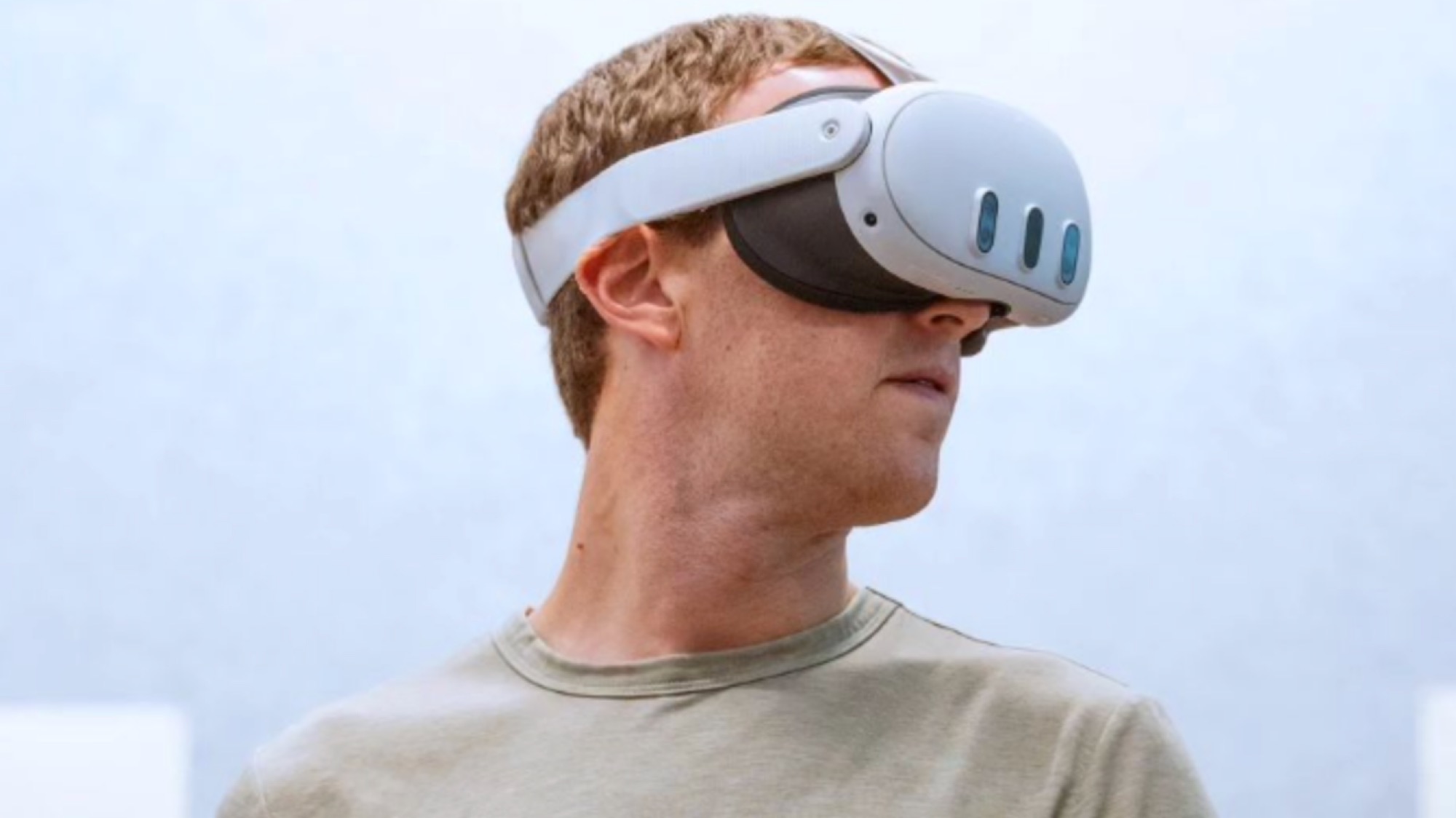
- 01Why I Bought the Meta Quest 3
- 02Design and Build Quality
- 03Display and Visual Experience
- 04Performance
- 05User Interface and Software
- 06Controllers and Tracking
- 07Audio Experience
- 08Content Library: The Good, the Bad, and the Missing
- 09Battery Life and Charging
- 10Price and Value for Money
- 11Who Should Buy the Meta Quest 3?
- 12Who Should Skip It?
- 13Pros and Cons
- 14Final Verdict
- 15Should You Buy It?
When people hear Meta Quest, they still think Oculus. And honestly, that is fair. Meta bought Oculus, rebranded the whole thing, and pushed it more into the mainstream. But the Meta Quest 3 is not just a name change. It is clearly a better, more polished product than the older Oculus-era devices.
That said, this headset sits in a weird place.
Meta still sells it mostly like a gaming device, but it is also trying very hard to make it attractive to other people too. So now you have fitness apps, media apps, mixed reality experiences, productivity experiments, virtual screens, remote desktop tools, and all these promises of the future.
And that is exactly what pulled me in.
I did not buy the Meta Quest 3 mainly for gaming. I bought it for productivity. The idea of carrying a headset while traveling and then opening multiple giant virtual displays anywhere sounded amazing. Apps like Immersed were a huge reason I purchased it in the first place.
Unfortunately, that dream and the actual experience are not the same thing.
After using the Meta Quest 3 for a long time, my conclusion is simple: it is a very good entertainment device, a surprisingly fun fitness device, and a very poor replacement for a real work monitor.
So if you are planning to buy one, this is the review I wish someone had given me before I spent the money.
Why I Bought the Meta Quest 3
Before getting into the review, it is important to understand where I am coming from.
I did not buy this headset because I wanted to play VR games all day. I bought it because YouTube reviewers made it sound like the future of work had already arrived. The pitch was tempting:
- carry a headset instead of a monitor
- create huge virtual screens anywhere
- work while traveling
- use multiple displays without needing physical hardware
On paper, that sounds brilliant.
In practice, Meta Quest 3 is not a serious monitor replacement for long work sessions.
Yes, apps like Immersed are impressive for the first few minutes. Yes, seeing multiple giant floating screens in front of you does feel futuristic. But after the novelty wears off, reality kicks in. You are still wearing a headset on your face. Your eyes get tired. The comfort becomes an issue. The sharpness is not good enough for long hours of reading and working. And the overall experience is still nowhere near as seamless as simply opening a laptop and using a real screen.
For short sessions, it is fun.
For actual work, at least for me, it failed the main purpose I bought it for.
Design and Build Quality
The design and build quality of the Meta Quest 3 are good. Not luxury-good, but definitely good.
A lot of people try to compare it with the Apple Vision Pro, but I do not think that is a fair comparison. The Vision Pro costs dramatically more. So obviously Meta is not trying to match that level of finish or premium feel.
But here is the thing: the Quest 3 does not feel one-fifth as good just because it costs a fraction of the price. In terms of overall hardware quality, I would say it feels much better than that. Maybe not premium-premium, but definitely not cheap junk either.
It is mostly plastic, yes, but that is not necessarily a bad thing. Because of that, it stays fairly light for what it is. And that matters. This is still basically a computer strapped to your face. Nobody should expect it to feel like ordinary glasses.
Comfort
The padding around the eyes is decent, and the headset is manageable to wear for a while. But if I am being honest, out of the box, it is not that comfortable.
That is one of the biggest things new buyers should know. The default setup is usable, but not ideal. Thankfully, third-party accessories can improve the experience a lot. A better strap or facial interface can make a noticeable difference, especially if you plan to use it regularly.
So yes, the base hardware is solid, but I would strongly recommend budgeting a little extra for comfort accessories if you are serious about using it often.
Weight and Portability
Because the body is plastic, the weight stays manageable. It is not light in the way glasses are light, but it is light enough that you can wear it longer than you might expect.
Still, let us be realistic. This is not some magic travel display that disappears in your bag like a thin laptop screen. It is still a headset. It still takes space. It still needs charging. It still feels like a device you are carrying.
Hopefully, in the future we get something that combines smart glasses and full mixed reality in a much slimmer form factor. But right now, this is still a head-mounted computer, and you feel that every time you use it.
Display and Visual Experience
The display was one of the most impressive parts for me.
Now, I have not personally used the Apple Vision Pro, so I am not going to pretend I can compare the two properly. But I can tell you this: coming from a super cheap headset before this, the Quest 3 felt like a massive jump.
For movies, YouTube, and general immersive viewing, it is genuinely impressive. Watching content on a giant virtual screen feels cool even after the novelty should have worn off.
But this is also where expectations need to be managed.
Resolution and Quality
The display is good. Very good, actually, for entertainment. But it is not as sharp or clean as looking at your phone, laptop, or a good monitor. That difference matters a lot depending on what you are doing.
For watching videos, gaming, or enjoying virtual environments, it works really well.
For text-heavy work, spreadsheets, long writing sessions, and detailed screen reading? That is where it starts breaking down. This was the main issue for me. I bought it hoping it could replace an extended monitor setup while traveling, and it simply does not do that well enough.
You can use it for short bursts of work. You can definitely experiment with it. But I would not recommend buying the Meta Quest 3 as a productivity-first device unless your expectations are very low.
Field of View and Refresh Rate
The field of view feels immersive enough that you stop thinking about the edges after a while, especially when you are watching good content or playing games. The refresh rate is also smooth enough that the overall experience feels modern and responsive, not laggy or outdated.
This is one of those areas where Meta has clearly improved things compared to the older generation. The headset feels more refined and more comfortable to actually use rather than just demo for five minutes.
Comparison With Previous Cheap VR Experiences
Compared to cheaper headsets, the Quest 3 is in a completely different league. It feels like going from a toy to a real product.
The display quality, tracking, responsiveness, and general polish are all significantly better. So if you are upgrading from one of those budget mobile-style VR headsets, the difference will feel huge.
But if you are expecting it to match the clarity of your laptop or phone screen for work, that is where disappointment begins.
Performance
In day-to-day use, the Meta Quest 3 feels fast enough for what it is supposed to do.
Apps open reasonably quickly, the interface is mostly smooth, and games or immersive apps generally run well. For gaming and media, I do not have major complaints here. It is clearly powerful enough to deliver the kind of experience Meta is aiming for.
Processing Power and Graphics
For standalone VR, the performance is impressive. Games look decent, mixed reality features work well, and the headset does not feel underpowered for casual use.
Of course, this is not a gaming PC strapped to your head, and sometimes people forget that. There are limits. More demanding experiences still remind you that you are on mobile-style hardware, not desktop-level power.
Load Times and App Performance
Load times are acceptable. Not instant, but not painfully slow either. Games and media apps generally launch without much frustration.
In actual use, the headset feels polished enough that you are not constantly fighting with it. It is not perfect, but it is also not one of those devices that feels unfinished every time you open something.
Multitasking Capabilities
This is another area where the marketing can sound more exciting than the reality.
Yes, you can open multiple windows.
Yes, you can place them around you in virtual space.
Yes, it looks futuristic.
But no, it is not real multitasking in the way most people imagine.
At the end of the day, it is still a headset with mobile-style limitations. You are mostly arranging windows around you rather than doing serious heavy multitasking. So technically it can look like a multi-screen workstation, but functionally it does not really replace one.
That difference matters.
User Interface and Software
Meta uses a forked version of Android for Quest, and overall it does the job. The interface is usable, and you can learn it quickly.
But I cannot say I am blown away by the software side of this product.
I have owned it for around a year, and I have not seen the kind of improvement I expected. Maybe that is because this still is not a mainstream computing platform in the way phones, tablets, and laptops are. But whatever the reason, the software ecosystem still feels limited.
What Works
- The basic interface is straightforward
- Navigation is easy enough
- Settings are manageable
- Mixed reality and general interaction feel modern
What Does Not
The app situation is still weaker than it should be.
For example, there is no proper Netflix app experience the way many people would expect. There is no official Amazon app experience that feels fully native and polished either. Yes, you can use browser workarounds, but that is exactly the problem: too often, you are using workarounds.
And the browser experience itself is not as good as it should be. Something as basic as password convenience becomes annoying. If the browser does not reliably remember logins and you use long passwords, even simple media use becomes more irritating than it needs to be.
A product like this should make things feel futuristic. Instead, sometimes it makes simple tasks feel more complicated.
There is also remote desktop support for connecting to a Mac, which sounds useful, but again, it does not really deliver the kind of seamless, magical productivity experience that would justify buying the headset for work.
That is the pattern with the Quest 3 software: good ideas, decent execution, but still not enough to fully replace traditional devices.
Controllers and Tracking
This is one of the best parts of the Meta Quest 3.
The controllers are excellent.
Their tracking is precise, responsive, and genuinely impressive. If this is your first good VR headset, this part alone will probably wow you. Pointing, selecting, interacting, and moving through games or apps feels sharp and reliable.
Hand Tracking vs Controllers
The headset can also track your hands, which is undeniably cool. The first time you use it, it feels like a proper glimpse of the future. You move your hands, pinch in the air, and control the interface naturally. It is one of those features that makes people say wow.
But personally, I still prefer the controllers for actual use.
Why? Because they are just more precise.
Hand tracking is fun and futuristic, but when I actually want to navigate quickly or browse properly, the controllers are more dependable. They feel better when you want control instead of just novelty.
Comparison to Other Controllers in Spirit
Compared to the cheaper VR gear I have used, Quest 3 controllers are far ahead. They feel like proper gaming accessories, not cheap plastic add-ons. They are comfortable enough, easy to understand, and accurate enough that they do not get in the way of the experience.
And honestly, that matters more than fancy design language. A controller in VR should disappear into the experience. These mostly do.
Audio Experience
The built-in audio is good.
Because the speakers sit close to your ears, the sound feels more immersive than you might expect without actually covering your ears. For casual use, it works well and sounds surprisingly decent.
But there is one obvious issue: sound leakage.
If someone is sitting next to you, they will hear at least some of what you are listening to. Not at full volume, but enough to notice.
That is why I started using my AirPods with it, and honestly, that improved the experience a lot.
Connecting AirPods was easy, and once I did that, movie watching became one of my favorite things to do on this headset. A giant virtual screen plus private audio feels fantastic. It is immersive, comfortable, and much more personal.
This is where the Quest 3 really shines for me.
Watching movies with AirPods connected gives a genuinely enjoyable cinema-like experience. The same goes for good VR videos. When the content is actually high quality, it feels properly immersive.
Content Library: The Good, the Bad, and the Missing
This part is frustrating because the hardware is better than the content ecosystem in many cases.
Gaming and Fitness
If you are into gaming, there is enough here to justify the headset. That is still Meta’s strongest category. Fitness is also surprisingly strong. Working out in VR is much more engaging than I expected, and this is one of the non-gaming use cases where the Quest actually makes sense.
Media Consumption
Media is also a strong use case, especially if you enjoy the idea of watching content on a giant virtual screen. Movies, YouTube, and immersive videos can feel excellent.
VR Content Problem
The biggest disappointment is that there is still a shortage of truly great VR content.
A lot of the content that exists feels low quality. Some of it looks bad, some of it feels gimmicky, and too much of it does not do justice to the hardware at all. That is the strange thing about VR right now: the hardware has moved faster than the content.
That said, when you do find good creators, the experience becomes special.
One of my favorites is Slice of Life VR on YouTube. The travel videos are amazing. Watching those in VR genuinely feels like you are there, and that has easily become one of my favorite uses for the headset.
So the content library is not bad, but it is inconsistent. There are good experiences, but you have to dig for them.
Battery Life and Charging
Battery life is decent, but not incredible.
That is not surprising. This is a standalone headset doing a lot of work, so expecting all-day battery would be unrealistic.
For gaming, media, and general use, you get enough battery for a session, but it is definitely a device you need to keep an eye on. This is not something you forget to charge and then casually rely on all day like a phone.
Charging also takes enough time that you notice it. Again, not shocking, but worth mentioning if you plan to use it regularly.
In simple words: battery life is acceptable, not impressive.
If you are doing longer sessions, accessories or charging habits become part of the experience.
Price and Value for Money
This is where the Meta Quest 3 becomes much easier to recommend.
If you compare it with ultra-premium products in this category, the Quest 3 offers a lot for the money. It is not perfect, but it does give you access to a pretty advanced VR and mixed reality experience without going into absurd pricing.
So is it value for money?
Yes — if you are buying it for the right reasons.
It Is Worth It For:
- gamers
- people curious about VR and mixed reality
- fitness users
- movie watchers
- people who want immersive entertainment
- early adopters who enjoy experimenting with future tech
It Is Not Worth It For:
- people mainly wanting a monitor replacement
- serious productivity users
- anyone expecting laptop-level practicality
- people who want polished mainstream app support everywhere
- users who dislike wearing headsets for long periods
This is the key point. The Quest 3 gives good value as an entertainment-first device. It gives bad value if you buy it believing it will replace your work setup.
That was my mistake.
Who Should Buy the Meta Quest 3?
You should buy the Meta Quest 3 if:
- you want a fun and genuinely impressive VR headset
- you like gaming
- you want immersive fitness experiences
- you enjoy watching movies on a giant virtual screen
- you want to explore mixed reality without spending absurd money
- you are okay with some ecosystem limitations
Who Should Skip It?
You should skip it if:
- your main goal is productivity
- you want it to replace multiple monitors
- you expect a perfect app ecosystem
- you want something ultra-light and effortless to wear
- you are not actually interested in gaming, media, or immersive experiences
If your main use case is work, I would honestly say save your money and buy a better monitor, tablet, or laptop setup instead.
Pros and Cons
Pros
- very good value for a modern VR headset
- impressive display for movies, YouTube, and immersive content
- excellent controller tracking
- hand tracking is fun and futuristic
- good for gaming and fitness
- enjoyable media experience, especially with AirPods
- hardware feels better than the price suggests
Cons
- not good enough as a serious work monitor replacement
- out-of-box comfort could be better
- limited app ecosystem
- browser and login experience can be annoying
- VR content quality is inconsistent
- battery life is only decent
- still feels like wearing a device, because you are
Final Verdict
The Meta Quest 3 is one of those devices that can impress you and disappoint you at the same time.
It impressed me with entertainment, immersion, controller quality, fitness potential, and movie watching.
It disappointed me in the exact area I bought it for: productivity.
So my honest verdict is this:
The Meta Quest 3 is a very good VR headset, but a bad monitor replacement.
If you buy it for gaming, content, mixed reality fun, and immersive experiences, you will probably enjoy it a lot.
If you buy it hoping it will become your portable multi-monitor workstation, there is a very good chance you will end up frustrated like I did.
This is not the future of work yet.
But it is still a very good glimpse of the future of entertainment.
Should You Buy It?
Buy it if you want:
- VR gaming
- immersive fitness
- big-screen movie watching
- a taste of mixed reality
- fun future-tech experiences at a relatively reasonable price
Skip it if you want:
- all-day work comfort
- real productivity gains
- laptop or monitor replacement
- polished mainstream software support
For me, it did not fulfill the main reason I bought it.
And yet, I still do not regret trying it, because for media and immersive content, it is genuinely enjoyable.
That is probably the best way to sum up the Meta Quest 3:
wrong tool for work, great tool for fun.